The RespondGrid app: the alert reaches everyone at once
An alert from e-Remiza or a DSP-50 system reaches the whole brigade's phones at once. The commander immediately sees who is coming and in how long, and after the return the callout writes itself up, and the command sends the report by e-mail from it — if your county takes one.
The brigade panel is free with no time limit. Dispatch and device modes are paid.
17 520units on the map
5 453units in the national system
157 993people on boards
An alert in every responder's pocket
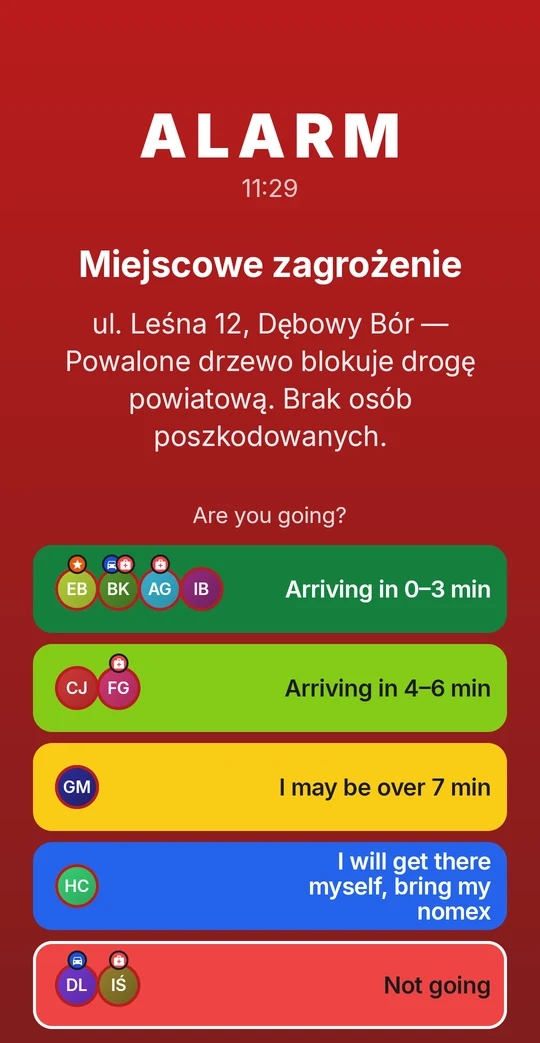
The screen lights up even on a locked and silenced phone, because the alert has its own notification channel. One tap answers "coming" or "not coming", and if coming — in how long.
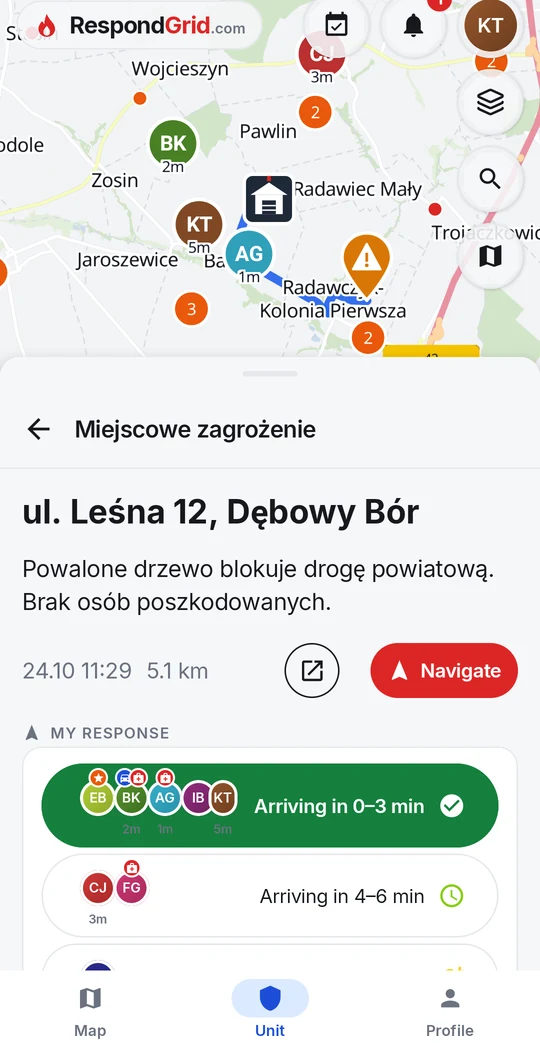
Who is coming and in how long — visible to everyone at once
Navigation to the incident, without retyping the address
Works even when the dispatch system only sends a notification
A brigade panel instead of a notebook
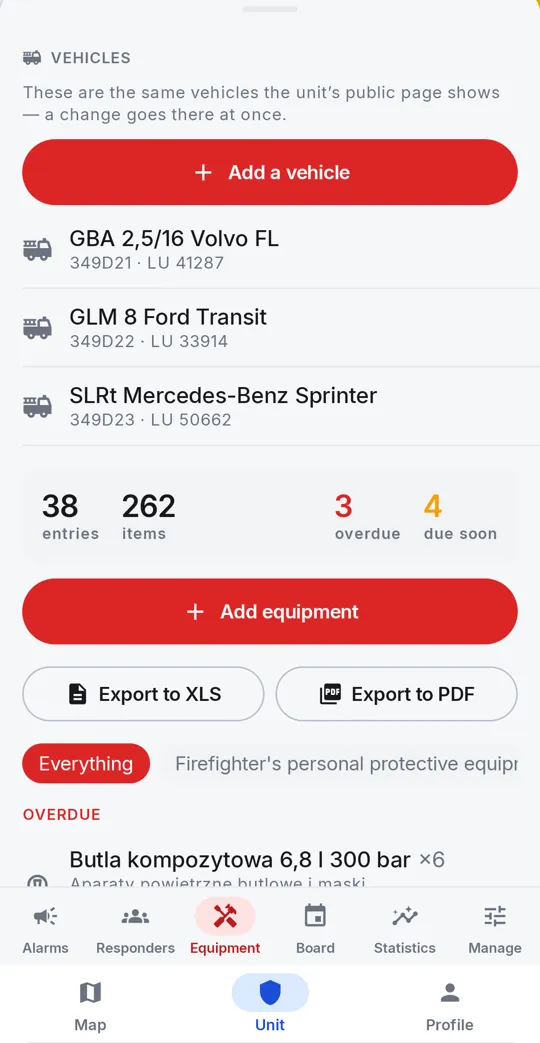
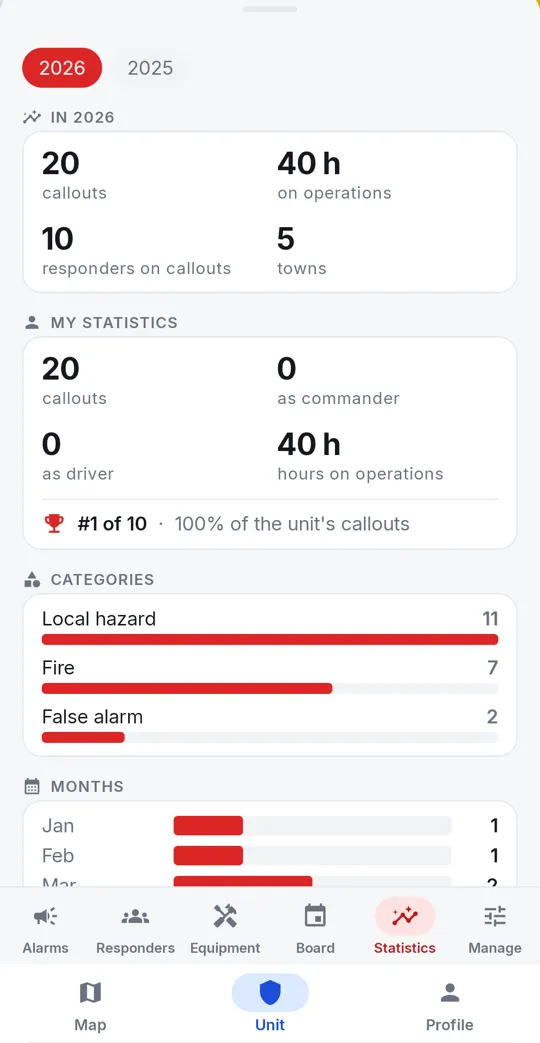
Roster, qualifications, medical deadlines, equipment and callout history in one place, reachable from a phone and a computer. The unit's administrator or editor sends the call-out report by e-mail from the call-out card, to the addresses on the unit's list — if you switch it on, since not every county accepts one by e-mail. It is built from data the system already has.
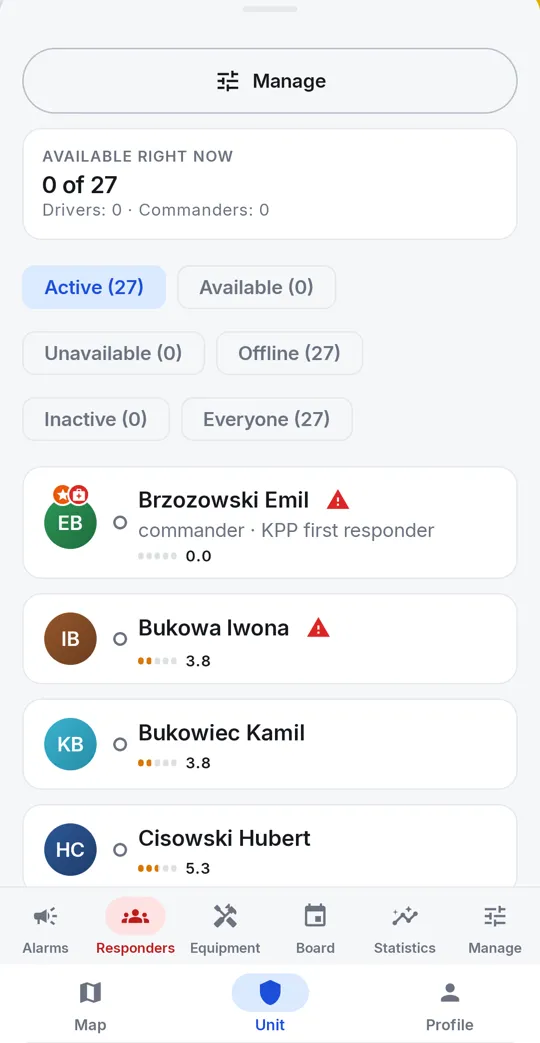
Roster availability — who is available right now; with a responder's consent also by area (the phone passes only a yes or a no, never a position)
Medical and qualification deadlines, before they expire
Equipment inventory with inspection dates, exported to XLS or PDF
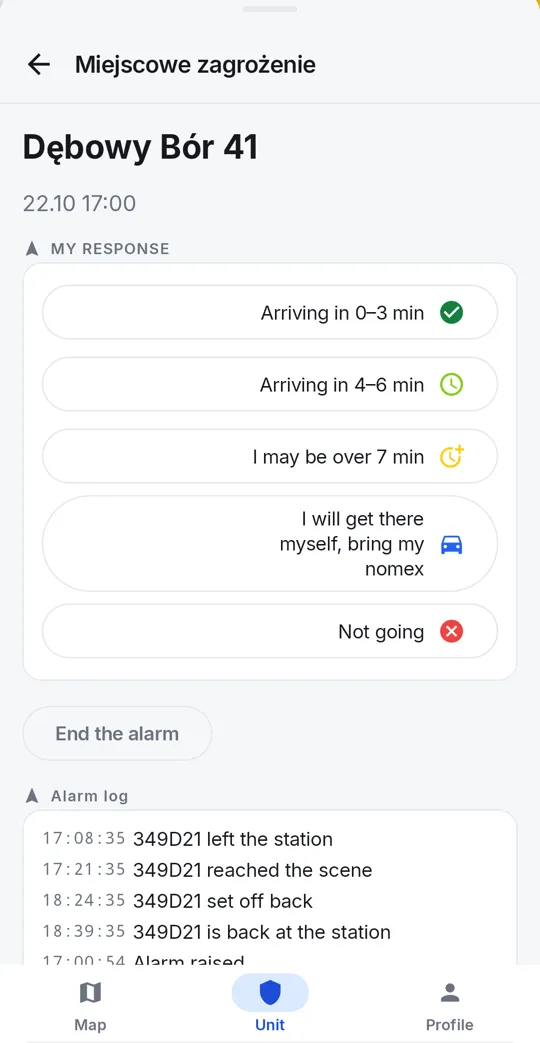
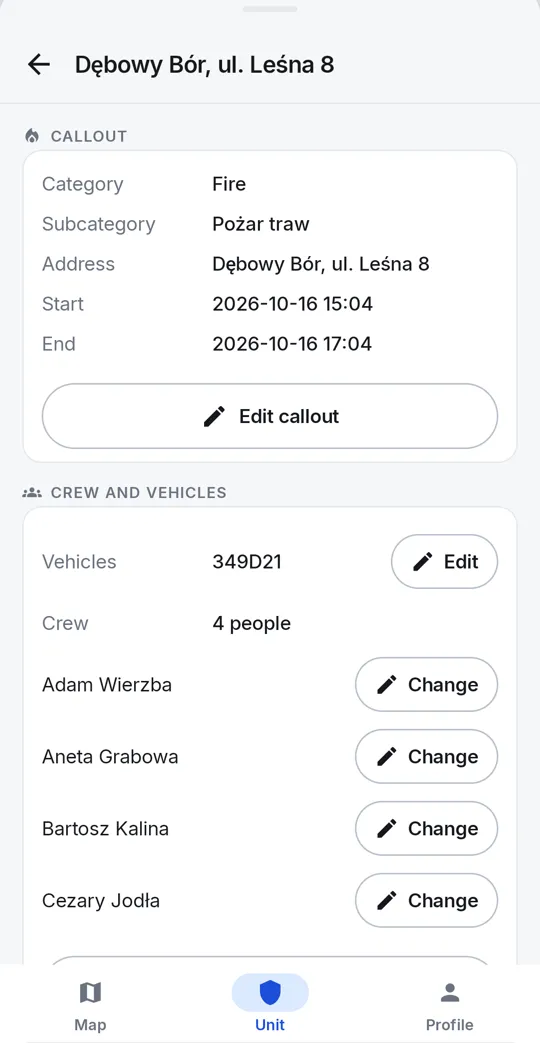
Departure and arrival times measured automatically
A report by e-mail from the call-out card: to the unit's own addresses, with the crew, vehicles and times; the sending is kept in the history
Pull the roster in from e-Remiza — with a preview before anything is saved
The roster first, accounts after
The roster is entered once — including everyone who never created an account. An e-mail address next to a name CREATES NO ACCOUNT: it only makes an invitation possible, and the responder sets their own password. When they accept it — or simply register with that address themselves — they take over their existing entry along with qualifications, medical dates and every callout they attended. Nobody appears in the roster twice and nobody starts from a blank card.
One button on a responder's card sends the invitation
The account only starts working once the e-mail address is confirmed
Resend it when the mail never arrived — once every fifteen minutes
A lost account is deleted without removing the responder from the roster — new address, new invitation
Equipment in the station and in the truck
Three modes for devices that stay in the brigade permanently. You log in once and the device knows what it is — there is no mode switch to set again after an update. A brigade with no dispatch app at all can set the trigger to raise the alert on an incoming call — every call to that number then does it, wrong numbers included, so the number is given to the dispatcher only.
Truck — cabin tablet: route map, roster, a “Navigate” button
Trigger — a phone on a charger: a dispatch notification or a ring
A journal of trigger attempts — see whether the station phone is working, without waiting for a real callout
A public map of fire units
Beyond the panel, RespondGrid runs an open map of every fire service unit in Poland. Each has its own page with contact details, equipment and photos filled in by the units themselves.
Search by name, town and municipality
Data changes go through moderation
Integrations: e-Remiza, DSP-50 and other systems
The alarm you already have reaches the phones of the whole unit at once.
You have e-Remiza. An integration through its API: you connect nothing to phones.
You have a DSP-50 system with a GSM terminal. If the GSM terminal rings the firefighters, add the trigger phone's number to the list.
You have a system that sends HTTP requests. A webhook: the unit's own token, the alert at once.
Selective and simultaneous alerting is what a DSP system does on its side. RespondGrid adds the alert on the phone, a one-tap answer and a view of who is coming.
The demo account opens a complete brigade panel on invented data — the roster, the equipment inventory with inspection dates, the callout history, device accounts. Everything a real brigade's administrator sees.
login
demo@respondgrid.com
password
demo
This account saves nothing — click around freely, you cannot break anything and nothing will disappear. To keep your own records, create a normal account and request to join your brigade.